


Skip to content
View in the app

A better way to browse. Learn more.

Nikonland.it

A full-screen app on your home screen with push notifications, badges and more.

To install this app on iOS and iPadOS
  1. Tap the Share icon in Safari
  2. Scroll the menu and tap Add to Home Screen.
  3. Tap Add in the top-right corner.
To install this app on Android
  1. Tap the 3-dot menu (⋮) in the top-right corner of the browser.
  2. Tap Add to Home screen or Install app.
  3. Confirm by tapping Install.

Ma che roba....!

(0 reviews)

_Z3L1641.thumb.JPG.6f400b0dcd96fa076d181e3a7038239a.JPG

1953 - 2023

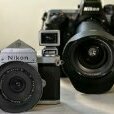
Non esiste altro sistema di ripresa fotografica che, vantando analoga anzianità industriale, consenta di utilizzare, pur facendo i salti mortali come in questo caso (Nikkor P.C. 8,5cm f/2 + adattatore Nikon RF-LM + Megadap MTZ11 + Nikon Z9) di rendere autofocus un obiettivo nato meccanico e manuale, per una tecnologia vecchia di quattro generazioni concettuali (telemetro-SLR-DSLR-mirrorless) ma molte di più, contando le varianti di baionetta, permettendo di realizzare ancora l'oggetto per il quale sono stati costruiti: fotografie ...

4 Comments

Recommended Comments

Alessandro Pisano

Nikonlander Veterano

  • Nikonlander Veterano

Impressionante ! Il kaizen si poggia sempre sulle stesse basi ! Io presumo sia un vanto per Nikon, per me lo sarebbe se fossi un progettista di Nikon

Forever !

  • Administrator
53 minuti fa, Alessandro Pisano ha scritto:

Impressionante ! Il kaizen si poggia sempre sulle stesse basi ! Io presumo sia un vanto per Nikon, per me lo sarebbe se fossi un progettista di Nikon

Forever !

E noi che ne siamo consapevoli utenti, godiamo come conigli!!!

Gabriele Castelli

Nikonlander Veterano

  • Nikonlander Veterano

Fa una certa impressione vedere un obiettivo con la scritta "Nippon Kogaku" su una Z9, e farli pure dialogare.

Ha un che di seduta spiritica.

Guest
Add a comment...

Account

Navigation

Search

Search

Configure browser push notifications

Chrome (Android)
  1. Tap the lock icon next to the address bar.
  2. Tap Permissions → Notifications.
  3. Adjust your preference.
Chrome (Desktop)
  1. Click the padlock icon in the address bar.
  2. Select Site settings.
  3. Find Notifications and adjust your preference.