

Jump to content
View in the app

A better way to browse. Learn more.

Nikonland.it

A full-screen app on your home screen with push notifications, badges and more.

To install this app on iOS and iPadOS
  1. Tap the Share icon in Safari
  2. Scroll the menu and tap Add to Home Screen.
  3. Tap Add in the top-right corner.
To install this app on Android
  1. Tap the 3-dot menu (⋮) in the top-right corner of the browser.
  2. Tap Add to Home screen or Install app.
  3. Confirm by tapping Install.

Ogni tanto la Luce aiuta, altre volte Comanda...

non sempre porta dove si cerca, ma talvolta ...prende il sopravvento.
YuBB8.thumb.jpg.074cf62e8ada393fb70ccdf9717317de.jpg

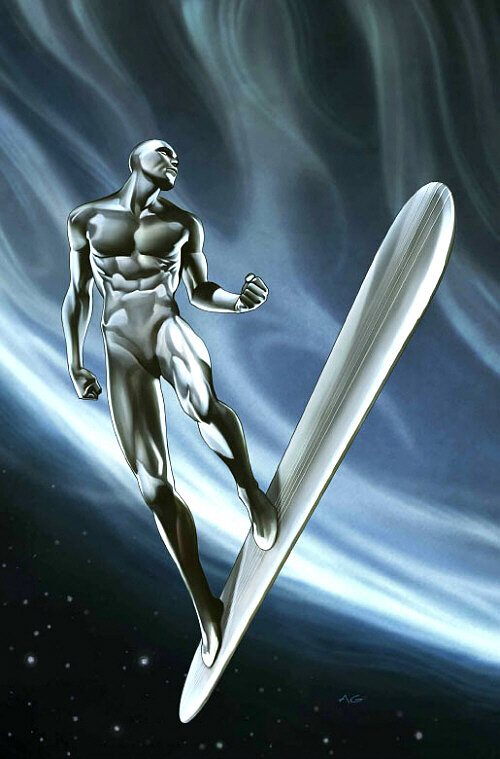
Mi aspettavo un cielo azzurro sopra il mare blu: ho trovato Silver Surfer...

1278302100_00221022022-_D5K0442MaxAquilaphoto(C).thumb.JPG.c60209e90c3c13a587a99e32fcc3bea1.JPG

1745498035_00321022022-_D5K2068MaxAquilaphoto(C).thumb.JPG.480c29c08c06425c1d0ef31fc09080da.JPG

600975976_00121022022-_D5K0059MaxAquilaphoto(C).thumb.JPG.b9a17f6f1f4c82208db93bbc251ef6e3.JPG

1378702266_00621022022-_D5K2506MaxAquilaphoto(C).thumb.JPG.689ded28238d4cf9b0cc41a535437a2a.JPG

1923810386_00721022022-_D5K3072MaxAquilaphoto(C).thumb.JPG.27c1b994154c03019703de5c34868880.JPG


Nikon D500 e Nikon AFS 500mm f/4 G VR ED


Max Aquila photo (C) per Nikonland 2022

fotonoticia_20190916164529_1200.thumb.jpg.f3220120ad72bcf0f9fd2f700d9d4b2a.jpg

2 Comments

Recommended Comments

Enrico Floris

Nikonlander Veterano

  • Nikonlander Veterano

Non si lavora male in controluce e, come in questo caso, può essere anche divertente. Mi piacciono molto Max e il 500 f.4 sarà pure pesante e ingombrante ma è proprio forte. Interessante l'analogia con Silver Surfer.:)

Tanker

Nikonlander Veterano

  • Nikonlander

il controluce sul mare è sempre spettacolare,queste tue immagini stanno a dimostrarlo!bravo! il paragone con Silver Surfer ci sta tutto!

Guest
Add a comment...

Configure browser push notifications

Chrome (Android)
  1. Tap the lock icon next to the address bar.
  2. Tap Permissions → Notifications.
  3. Adjust your preference.
Chrome (Desktop)
  1. Click the padlock icon in the address bar.
  2. Select Site settings.
  3. Find Notifications and adjust your preference.